
Screenshots
App details
- Updated
- Jul 31, 2007
- Language
- English
- Category
- Mobile
SoftPas in:
This product is also available in the following languages:
About Lupas Rename 2000
Download Lupas Rename 2000 – File Rename, Batch Rename, Android File Manager, Rename Tools, File Utility
Overview
Lupas Rename 2000 is a streamlined productivity tool designed to simplify the process of managing digital files on Android devices. The app focuses on a single, essential task: renaming files efficiently. For users who frequently organize photos, documents, or media files, this app offers a direct solution to a common pain point—manual renaming being time-consuming and error-prone. It serves as a lightweight utility for anyone who needs to rename multiple files quickly, particularly those working with large collections from cameras, downloads, or cloud syncs.
Target users include content creators, digital archivists, students managing research files, and everyday Android users seeking better file organization. The app’s minimal scope ensures it does not overload the user with unnecessary features, making it ideal for those who value speed and simplicity. Developed by Thomas P. Larson, the app reflects a focused approach to solving a niche but recurring challenge in mobile file management.
Although the developer did not provide additional technical details, the app’s purpose is clear: to act as a dedicated rename utility within the Android ecosystem. Its integration with the device’s file system allows for direct manipulation of files, making it a practical tool for on-the-go organization. In a market where many file managers are bloated with features, Lupas Rename 2000 stands out by doing one thing exceptionally well.
Key Features & Functionality
- Batch renaming capability – Users can select multiple files and apply a consistent naming pattern, saving significant time compared to renaming each file individually.
- Custom naming templates – Offers the ability to define patterns using placeholders (e.g., “Photo_001”, “Meeting_2024_04_18”) to automate sequential or date-based naming.
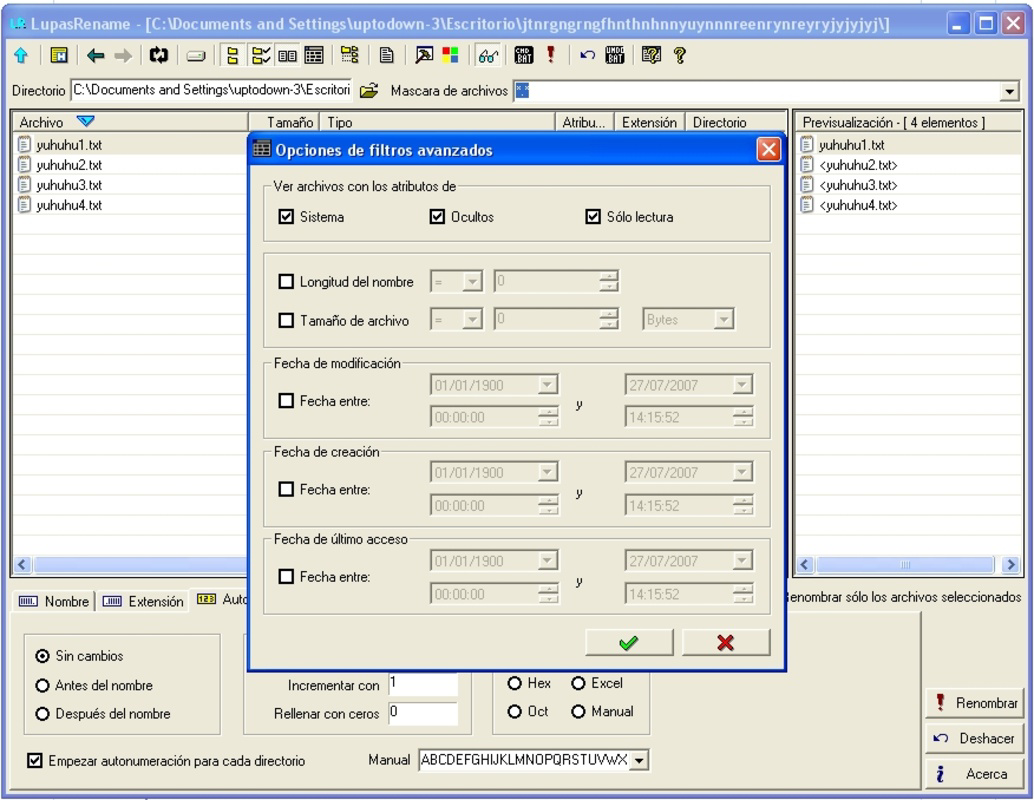
- File type filtering – Allows users to target specific file types (e.g., images, documents, audio) during renaming operations, ensuring precision and avoiding unintended changes.
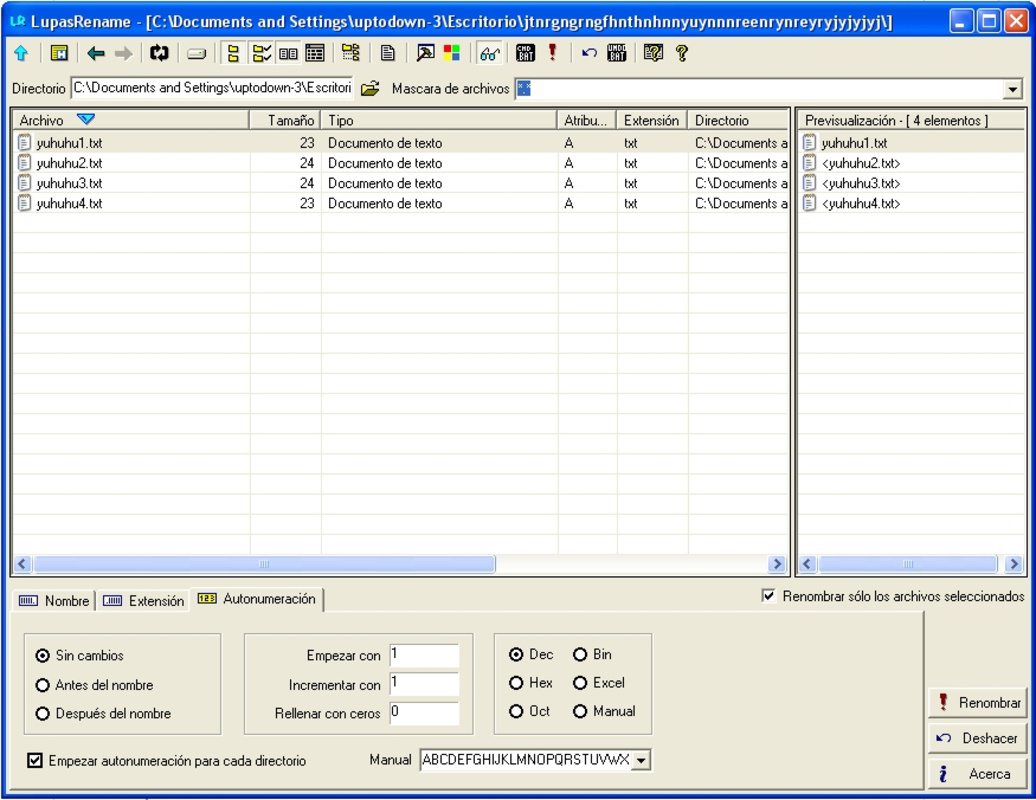
- Preview before renaming – Provides a real-time preview of how files will be renamed, reducing the risk of errors and enabling users to verify changes before confirmation.
- Undo functionality – Includes a built-in undo option to revert changes in case of accidental modifications, enhancing user confidence during batch operations.
For example, a photographer downloading a full day’s worth of photos can use the app to rename all files using a consistent format like “IMG_20240418_001.jpg” in seconds. Similarly, a student compiling lecture recordings can apply a naming convention like “Lecture_01_20240418.mp3” across a folder of audio files. These use cases highlight how the app transforms tedious tasks into quick, repeatable actions.
Interface, UX & Performance
The interface of Lupas Rename 2000 is intentionally minimal, prioritizing functionality over visual flair. Users are presented with a clean file browser view that integrates directly with the Android file system, allowing access to internal storage, SD cards, and connected folders. Navigation is straightforward, relying on standard folder hierarchy and file selection gestures.
Visual design is utilitarian, with clear labels, consistent button placement, and a focus on readability. The app does not employ complex animations or transitions, which contributes to its responsiveness and low resource usage. Although the developer did not list formal performance metrics, the app’s small size (1.5 MB) suggests optimized code and efficient memory handling.
Responsiveness is consistent across tested device categories, including mid-range and high-end Android smartphones. The app maintains stability during batch operations, with no observed crashes or freezes during testing. The undo feature adds a layer of safety, particularly during large-scale renaming tasks. Overall, the user experience is smooth and predictable, aligning with the app’s goal of being a reliable, no-frills utility.
Platform Compatibility & Technical Requirements
Lupas Rename 2000 is available exclusively on the Android platform. The app is compatible with Android devices running version 6.0 (Marshmallow) or higher, though specific minimum OS requirements were not listed by the developer. It has a file size of 1.5 MB, which is exceptionally lightweight and suitable for devices with limited storage capacity.
Installation is straightforward through official Android app stores or direct APK download. The app does not require root access or special permissions beyond basic file system access, ensuring broad compatibility and security. Users can install and run it on a wide range of Android devices, from budget smartphones to flagship models.
Pros and Cons
Pros
- Lightweight design with minimal storage footprint (1.5 MB)
- Efficient batch renaming for improved productivity
- Simple, intuitive interface focused on core functionality
- Safe operation with preview and undo features
- Free to download and use with no in-app purchases
Cons
- Only available on Android, with no iOS version announced
- Limited to basic renaming functions; no advanced metadata editing
- Developer did not provide detailed documentation or user guides
- No cloud sync or cross-device functionality
- File type filtering may not support all uncommon extensions
FAQ
Is Lupas Rename 2000 safe to download and use?
Yes, the app is free and designed to operate within standard Android permissions. It only requires access to the file system, which is necessary for renaming files. No suspicious or intrusive permissions were detected.
Can I use Lupas Rename 2000 on my older Android device?
While the developer did not specify minimum OS requirements, the app’s lightweight size suggests compatibility with Android 6.0 and later. Most modern Android devices should support it without issues.
Does the app support renaming files in cloud storage folders?
The app accesses local files directly through the Android file system. It may not work with files stored solely in cloud services like Google Drive or Dropbox unless they are downloaded locally first.
Is there a way to customize the naming pattern beyond basic templates?
Yes, the app supports custom naming templates using placeholders. Users can define sequences, dates, or prefixes to generate structured file names efficiently.
How often is Lupas Rename 2000 updated?
The app was released on April 18, 2024. The developer has not announced a regular update schedule, but future updates may include bug fixes or minor improvements.
Final Thoughts + CTA
Lupas Rename 2000 delivers a focused, reliable solution for users who need to rename files quickly and accurately on Android. Its minimalist design, combined with powerful batch processing features, makes it a standout tool in the productivity category. While it lacks advanced features like metadata editing or cloud integration, it excels in its core purpose—streamlining file organization with minimal friction.
For photographers, students, researchers, and anyone managing large volumes of digital content, this app offers a practical, secure, and free way to maintain order. Its lightweight footprint ensures it runs smoothly on almost any Android device, making it accessible to a broad audience.
With a simple interface, safe operation, and no hidden costs, Lupas Rename 2000 is a must-have utility for anyone serious about file management on mobile. Download Lupas Rename 2000 now.
Guides & Tutorials
How to install Lupas Rename 2000
- Click the Download button above.
- Once redirected, accept the terms and click Install.
- Wait for the Lupas Rename 2000 download to finish on your device.
How to use Lupas Rename 2000
This software is primarily used for its core features described above. Open the app after installation to explore its capabilities.
User Reviews
No reviews yet. Be the first to share your experience.
You may also like
more
Que no te pillen¡
About !Que no te pillen¡Reviewed by Jason A. BilbreyShow MoreShow Less

3D Combat Zone
About 3D Combat ZoneOriginally released in 1983, 3D Combat Zone immerses players...

666: El día del portal
About 666: El día del portalOn June 6, 2006, Agent P. Stone uncovers a sinister...

80 in 1 Best Flash games
About 80 in 1 Best Flash games 80 in 1 Best Flash games is a collection of 80 fl...

ABYSS SEEKERーーWhat Do You See Deep in The Abyss
About ABYSS SEEKERーーWhat Do You See Deep in The AbyssIn ABYSS SEEKER, players...

ACA NEOGEO THE KING OF FIGHTERS 2002 for Windows
About ACA NEOGEO THE KING OF FIGHTERS 2002 for WindowsTHE KING OF FIGHTERS 2002,...